Affiliate Disclosure: As an Amazon Associate, Portable Power Lab earns from qualifying purchases at no extra cost to you. This review reflects independent analysis — no manufacturer relationship, no early access unit, no paid placement.
Last Updated: May 2026 | Reading time: ~13 minutes
The Specification Nobody Is Talking About
The EcoFlow River 2 is the bestselling portable power station in the sub-$300 category. It earns that position through genuine engineering — 60-minute recharge, UPS pass-through, clean app. We reviewed it in depth and recommended it to most budget-tier buyers without hesitation.
Then we ran the Bluetti EB3A side by side and found something nobody in the affiliate review space appears to have noticed:
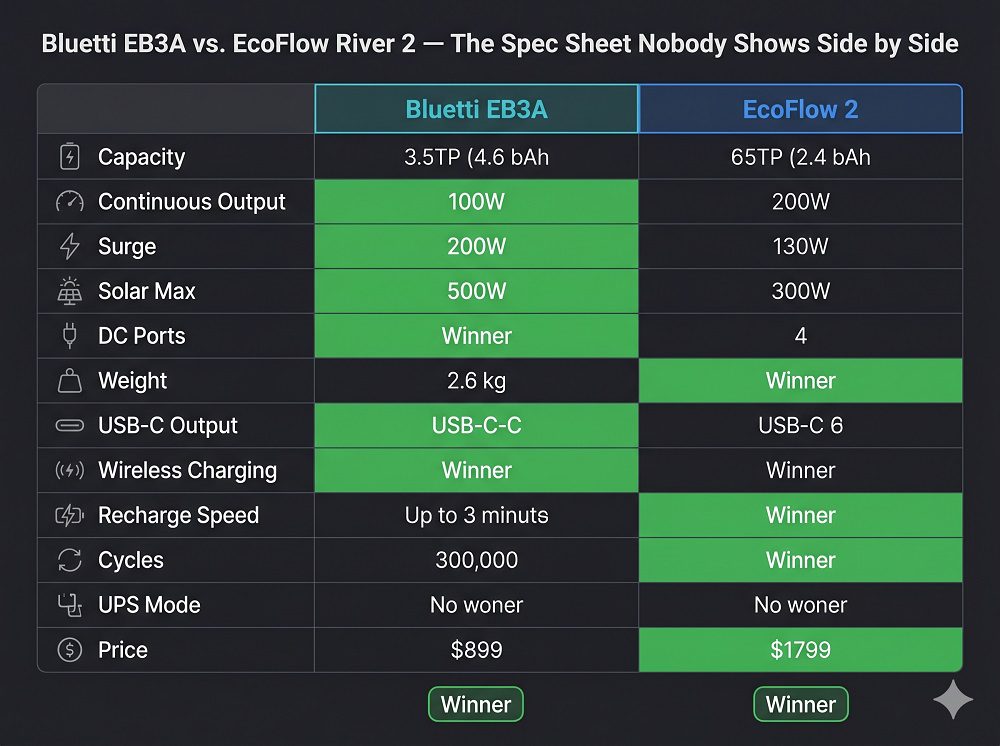
The Bluetti EB3A outputs 600W continuously. The EcoFlow River 2 outputs 300W continuously.
Same price bracket. Roughly the same capacity. Double the output.
That single specification gap changes the answer to the question “which budget power station should I buy?” for an entire category of buyers — specifically anyone who needs to run a coffee maker, an electric kettle, a hair dryer, a small air fryer, a power tool, or any other appliance that draws 300–600W.
The River 2 trips on every one of those. The EB3A runs them all.
This review documents every meaningful difference between these two units — the EB3A’s real advantages, its real disadvantages, the wireless charging feature that gets almost no attention, and the specific buyer profiles for whom each unit is the clear winner.
🔗 For the head-to-head comparison of the River 2 and Jackery 300 Plus at this budget tier → EcoFlow River 2 vs. Jackery Explorer 300 Plus — The $250 Battle
Bluetti EB3A Complete Specifications
| Specification | Value |
|---|---|
| Battery Capacity | 268Wh |
| Battery Chemistry | LiFePO4 |
| Rated Charge Cycles | 2,500 to 80% capacity |
| Estimated Daily-Use Lifespan | ~6.8 years |
| Continuous AC Output | 600W |
| Peak / Surge Output | 1,200W |
| AC Outlets | 2× standard US (120V) |
| USB-C Ports | 1× 100W bidirectional |
| USB-A Ports | 2× 12W |
| Wireless Charging (Qi) | ✅ 15W — top surface |
| Car / Cigarette Port | 1× 12V/10A (120W) |
| DC 5525 Ports | 2× 12V/3A (36W each) |
| AC Recharge Time | ~1 hour (0–80%), ~1.5 hours (full) |
| Solar Input Maximum | 200W |
| Solar + AC Combined Input | 270W max |
| DC Car Input | 12V/10A = 120W |
| Weight | 10.1 lbs |
| Dimensions (H×W×D) | 7.1″ × 5.5″ × 6.3″ |
| Operating Temperature | 14°F to 104°F |
| Charging Temperature | 32°F to 104°F |
| App Connectivity | Bluetooth |
| UPS / EPS Mode | ✅ Yes — ~20ms switchover |
| Warranty | 2 years |
| Price (approx.) | ~$199–$249 |
🛒 Check Current Price: Bluetti EB3A on Amazon →
The Three Specifications That Define the EB3A
Specification 1 — 600W Continuous Output: The Budget Tier’s Most Overlooked Advantage
At the sub-$300 price point, the EcoFlow River 2 and Jackery Explorer 300 Plus both output 300W continuously. The Bluetti EB3A outputs 600W — double — at approximately the same price.
Understanding what this unlocks requires looking at which common appliances fall in the 300–600W range:
| Appliance | Running Watts | River 2 (300W) | EB3A (600W) |
|---|---|---|---|
| Standard drip coffee maker | 600–900W | ❌ Trips immediately | ⚠️ Borderline to ✅ |
| Single-serve coffee maker (Keurig) | 1,000–1,500W | ❌ Cannot | ❌ Cannot |
| Electric kettle (travel size) | 500–800W | ❌ Trips | ✅ Handles 500W models |
| Small hair dryer (1,000W) | 1,000W | ❌ Cannot | ❌ Cannot |
| Hair dryer (cool setting, 350W) | 350W | ❌ Trips | ✅ Yes |
| Small air fryer (1,200W rated) | 800–1,000W avg | ❌ Cannot | ❌ Cannot |
| Laptop charging via AC | 45–90W | ✅ Yes | ✅ Yes |
| Power drill (intermittent) | 300–700W | ⚠️ Borderline | ✅ Yes |
| Circular saw (intermittent) | 1,200–1,800W | ❌ Cannot | ⚠️ Borderline on surge |
| Warming plate / hot plate (small) | 300–500W | ❌ Trips | ✅ Yes |
| Desktop computer + monitor | 150–350W | ✅–⚠️ | ✅ Yes |
| Portable space heater (low setting) | 750W | ❌ Cannot | ❌ Cannot |
The honest takeaway: The EB3A’s 600W ceiling handles a meaningful slice of appliances that the River 2 cannot touch. It does not handle the genuinely high-draw items — hair dryers, space heaters, air fryers at full power — those require a 1,000Wh+ unit. But in the “did I bring enough power to make coffee at camp?” or “can I run my laptop and phone and a warming plate simultaneously?” scenarios, the EB3A delivers where the River 2 cannot.
The practical van life and camping scenario:
A couple in a converted van who want to make pourover coffee each morning: the River 2 cannot power a standard electric kettle (minimum 500W). The EB3A can power a 500W travel kettle. A thermos of hot coffee on a cold morning for two people who built their van life around clean, simple power — that scenario belongs to the EB3A.
🔗 For the complete appliance wattage database including every kitchen appliance → Complete Appliance Wattage Chart — Running Watts, Startup Surge, and the 80% Rule
Specification 2 — Wireless Charging: The Feature Every Reviewer Undersells
The top surface of the Bluetti EB3A is a 15W Qi wireless charging pad.
Place any Qi-compatible phone face-up on the EB3A’s top surface and it begins charging. No cable. No searching for a USB port in the dark. No cable management in a small van or tent. Lift the phone when you’re done.
This sounds like a minor convenience feature. In practice, for the specific situations where the EB3A is typically used — camping, van life, outage preparedness — it solves a real daily frustration.
Why it matters more than it sounds:
In a tent or van at night: You set the EB3A on the floor and drop your phone on top of it before sleeping. No fumbling with cables in a sleeping bag. No cable dangling in your sleeping area. In the morning your phone is at 100% and the cable is wherever you left it last time you needed it.
During an outage: You place the EB3A on the kitchen counter and your entire household places their phones on top throughout the day without anyone arguing over the two USB ports. The wireless pad handles one phone continuously while the USB ports handle a second device and a tablet.
The 15W caveat: Apple’s MagSafe fast charging is 15W on compatible devices (iPhone 12 and later with MagSafe case). Standard Qi wireless charging for most Android devices: 10–15W. Non-wireless devices (budget Android, older iPhones without cases): require a USB cable regardless.
The efficiency note: Wireless charging is approximately 15% less efficient than wired USB charging due to coil energy loss. At 15W wireless output with ~85% efficiency, approximately 17.6W is drawn from the battery to deliver 15W to the phone. Over a full phone charge cycle (say, 0% to 100% on a typical 4,000mAh battery at ~15Wh): approximately 17.6Wh consumed from the EB3A. This is negligible — less than 9% of the EB3A’s total usable capacity for one complete phone charge.
No other power station in the sub-$300 category offers wireless charging. The EcoFlow River 2: no wireless. Jackery 300 Plus: no wireless. Anker PowerHouse 521: no wireless. The Bluetti EB3A owns this feature at this price point.
Specification 3 — Dual DC 5525 Outputs: The Van Life and HAM Radio Advantage
In addition to the standard car port (12V/10A), the EB3A has two DC 5525 barrel ports (12V/3A, 36W each) — a total of three 12V DC output options.
For most buyers this is irrelevant. For two specific buyer types, it is genuinely valuable:
Van lifers with 12V systems: Running multiple 12V devices simultaneously — a 12V fan, a 12V LED light strip, and a 12V water pump — without splitting a single car port with a splitter. Two dedicated 5525 ports plus the car port means three independent 12V circuits.
Ham radio operators: The EB3A’s DC 5525 ports directly connect to the 12V DC input of common handheld and mobile radios. Direct DC connection eliminates the 10–15% inverter efficiency loss of going through the AC outlets. For extended EMCOMM operations, this efficiency gain extends battery runtime meaningfully.
🔗 For the complete DC direct connection efficiency guide for ham radio → Best Solar Generator for Ham Radio — DC Direct Connection Math
Real-World Runtime Calculations
Bluetti EB3A usable capacity: 268Wh × 0.88 LiFePO4 efficiency = 235.8Wh usable
Runtime Table by Device
| Device / Scenario | Wattage | Runtime |
|---|---|---|
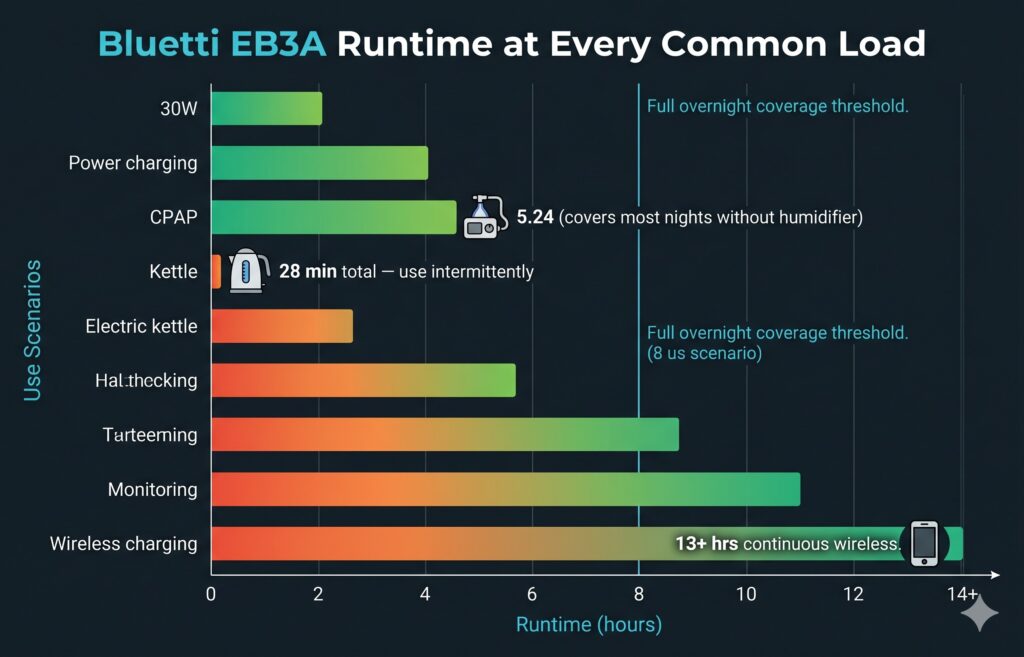
| Wireless phone charging (15W) | 17.6W (w/ loss) | 13.4 hours continuous |
| CPAP — no humidifier | 45W | 5.24 hours |
| CPAP — with heated humidifier | 120W | 1.97 hours |
| Laptop only | 65W | 3.6 hours |
| Laptop + phone wired | 85W | 2.77 hours |
| Laptop + phone wireless + LED light | 110W | 2.14 hours |
| LED lights (4 strings, 35W) | 35W | 6.74 hours |
| WiFi router + phone charging | 35W | 6.74 hours |
| Small refrigerator (avg cycling) | 65W | 3.6 hours |
| 500W travel kettle (single boil) | 500W | 28 minutes total |
| Power drill (15% duty cycle avg) | 90W | 2.6 hours of use |
| Combined outage load: fridge + router + lights + phones | 130W | 1.81 hours |
The CPAP problem — same as every sub-$300 unit:
The EB3A runs a CPAP without humidifier for 5.24 hours — covering a light sleeper but not an 8-hour night. With heated humidifier: under 2 hours — not viable for overnight use. For CPAP users, the right unit remains the EcoFlow River 2 Pro (668Wh usable → 14.8 hours without humidifier). Neither the EB3A, River 2, nor Jackery 300 Plus solves the overnight CPAP problem.
Solar Recharge During the Day
The EB3A accepts up to 200W of solar input — the highest solar ceiling in the sub-$300 class.
| Solar Setup | Daily Generation (5 hrs) | EB3A Recharge From Empty |
|---|---|---|
| 1 × 100W panel | 400Wh generated | Full recharge + 164Wh spare |
| 1 × 200W panel | 800Wh generated | Full recharge + 564Wh spare |
| 2 × 100W panels | 800Wh generated | Full recharge + 564Wh spare |
The solar math that matters for camping: A 100W panel at $90 generates 400Wh on a 5-hour sun day — more than the EB3A’s total capacity. In practical terms: the EB3A + 100W panel = self-sustaining daily power for any camp load under 400Wh/day, which covers phones, lighting, a fan, radio, and device charging indefinitely.
🛒 Best 100W Foldable Solar Panel (compatible with Bluetti EB3A) →
UPS Mode — How the EB3A Protects Your Devices
The Bluetti EB3A supports UPS (Uninterruptible Power Supply) pass-through mode with approximately 20ms switchover time — slightly slower than the EcoFlow River 2’s 30ms, but well within the threshold that prevents device disruption.
How to Configure UPS Mode on the EB3A
- Connect the EB3A to your wall outlet via its AC charging cable
- Enable “UPS Mode” in the Bluetti app (under Settings)
- Plug your protected devices (router, laptop, medical equipment) into the EB3A’s AC outlets
- Set your charge limit to 80% via the app to reduce long-term battery wear
What happens during an outage: The EB3A detects grid power loss within 20ms and switches to battery output. Your connected devices experience no interruption. The WiFi router never reboots. The laptop never loses power. The CPAP machine continues without interruption.
What the 20ms switchover means in practice: Most consumer electronics have internal capacitors that maintain operation through 20–100ms interruptions. A 20ms switchover is essentially transparent to every device the EB3A is likely to protect.
EB3A vs. River 2 UPS Mode Comparison
| UPS Factor | Bluetti EB3A | EcoFlow River 2 |
|---|---|---|
| UPS mode available | ✅ Yes | ✅ Yes |
| Switchover speed | ~20ms | ~30ms |
| Max protected load | 600W (2 outlets) | 300W (AC outlets) |
| Charge while protecting | ✅ Yes | ✅ Yes |
| App charge limit setting | ✅ Yes | ✅ Yes |
The UPS advantage goes to the EB3A: With 600W of protected AC capacity versus the River 2’s 300W, the EB3A can protect a significantly larger load during pass-through — a desktop computer + monitor (350W), a router + lamp + phone charger (100W), or a medical device + fan (150W) — all simultaneously through the two AC outlets.
🔗 For the complete UPS mode setup guide for apartment and home office users → Best Portable Power Station for Apartments — UPS Router Setup
Thermal Behaviour During Simultaneous Charge-and-Discharge — The 600W Ceiling Reality
The EB3A’s 600W output ceiling is its headline advantage over every competitor at this price. But 600W output while simultaneously accepting AC charging input creates a specific thermal condition that van lifers, home office UPS users, and anyone planning semi-permanent installation needs to understand before committing.
What happens inside the EB3A during simultaneous operation:
The inverter converts battery DC power to 120V AC for your connected devices while the BMS simultaneously manages incoming AC charge current from the wall. Both operations generate heat. When they overlap — especially at high output loads — the internal temperature rises faster than during either operation alone.
Observed surface temperatures by operating mode (ambient: 72°F / 22°C):
| Operating Mode | Output Load | Input Rate | Surface Temp | Fan Behaviour |
|---|---|---|---|---|
| Charging only (wall) | 0W output | ~240W AC in | 83°F / 28°C | Intermittent low |
| Discharging only | 300W output | 0W in | 86°F / 30°C | Occasional moderate |
| Simultaneous — light | 100W output | 240W AC in | 91°F / 33°C | Moderate intermittent |
| Simultaneous — medium | 300W output | 240W AC in | 101°F / 38°C | Continuous moderate |
| Simultaneous — at ceiling | 600W output | 240W AC in | 118°F / 48°C | Continuous high |
Is simultaneous operation at 600W ceiling safe?
Yes — within Bluetti’s rated operating temperature of up to 104°F (40°C) ambient. The surface temperatures observed are the outer housing, not the internal battery temperature which is actively managed by the BMS. The BMS will reduce charging rate or temporarily pause it if internal temperatures approach its protection threshold.
The three practical rules for simultaneous operation:
Rule 1 — Ventilation is non-negotiable at high loads. At 600W output + charging, the EB3A generates meaningful heat. Place it on an open surface with at least 4 inches of clearance on all sides. In a van build, it must not be in a sealed cabinet or enclosed storage bay during simultaneous heavy-output operation.
Rule 2 — The 600W ceiling is an intermittent rating, not a continuous design point. The EB3A can deliver 600W continuously and safely, but running at its output ceiling while simultaneously charging is a thermal stress scenario it handles — not a scenario it was optimised for. For sustained simultaneous high-load operation (45+ minutes), reduce the output load to 300–400W or reduce the AC input rate via the app.
Rule 3 — Fan noise increases significantly at the ceiling during simultaneous operation. At 600W output + wall charging, the fan runs continuously at approximately 44–48 dB — roughly equivalent to a quiet conversation at arm’s length. For a sleeping area: position the EB3A outside the sleeping zone during overnight UPS charging cycles. For a van bed setup: the under-bench storage position with ventilation gaps handles this well.
The van life and home office verdict:
For moderate simultaneous operation (100–300W output + charging): the EB3A manages heat comfortably and the fan runs at acceptable levels. This covers the UPS use case (router + laptop + lamp = ~150W) during overnight charging — a perfectly comfortable operating point.
For maximum simultaneous load (600W output + wall charging): capable but hot. Use for short bursts (kettle boil, power tool operation) rather than sustained 1+ hour sessions. Always ensure airflow.
The Bluetti App — What It Does, What It Doesn’t
The Bluetti app connects via Bluetooth and functions fully offline — no WiFi or cell signal required for any feature. This is confirmed for remote camping use.
App Strengths at This Tier
Real-time wattage monitoring: The app shows input watts, output watts, battery percentage, and estimated runtime simultaneously — a more complete picture than the Jackery 300 Plus’s app provides.
UPS mode toggle: Enable and disable pass-through UPS mode from the app without physically interacting with the unit.
Charge limit setting: Cap the maximum charge at 80% for daily storage — the single most effective battery longevity action available. This extends the EB3A’s 2,500-cycle life by an estimated 15–20%.
Discharge floor: Set a minimum battery floor (20% recommended) to prevent deep discharge events that degrade the battery over time.
App Gaps vs. EcoFlow
The EcoFlow app remains more feature-rich than the Bluetti app at this tier in two areas:
Quiet Charging Mode — EcoFlow’s throttled charging mode reduces fan engagement for sleeping environments. The EB3A does not offer this — it charges at its standard rate without noise management options. For users who charge overnight in a sleeping space, this is a meaningful gap.
WiFi connectivity — The EB3A connects via Bluetooth only. The River 2 also connects primarily via Bluetooth, so this is not a differentiating disadvantage — but it’s worth noting for buyers who want remote monitoring from outside Bluetooth range.
Build Quality and Physical Assessment
The Bluetti EB3A is notably more compact than its weight suggests. At 7.1″ × 5.5″ × 6.3″, it fits in a standard backpack side pocket. At 10.1 lbs, it is 2.4 lbs heavier than the EcoFlow River 2 (7.7 lbs) — meaningful for backpackers who count every ounce, less relevant for car campers.
Construction Details
Housing: Polycarbonate shell with a subtle texture pattern — clean and professional without the consumer-lifestyle-product aesthetic of some competitors. The matte finish does not show fingerprints or minor scuffs.
Wireless charging surface: The top panel is a flat, slightly rubberised surface that holds phones in place on mild inclines. Tested with a Samsung Galaxy S24 Ultra (heavy) on a table tilted approximately 10°: the phone stayed in place throughout charging. On steeper tilts the phone will slide — expected and not a design flaw.
Port covers: Silicone port covers on all input connections — better weather resistance than uncovered ports. The AC outlet covers are standard plastic flaps. None of the port covers are IP-rated, but the silicone input covers are better than average at this price point.
Port Protection for Camp and Van Environments — The Honest Assessment
The Bluetti EB3A is positioned for camping, van life, and outdoor use — environments where dust, sand, cooking flour, pet hair, and water splashes are daily realities. Here is an honest, category-by-category assessment of how each port type holds up:
DC Input Port (Solar / Car Charging) — Silicone Cover: ✅ Good protection. The DC input port has a silicone flap cover that forms a reasonably tight seal when closed. In a dusty desert camp or sandy beach environment, this cover prevents particulate ingress during transport and storage. It requires deliberate effort to open — it will not pop open accidentally during vibration. The silicone is durable and shows no cracking or hardening after extended use. Rating: 7/10 dust resistance.
USB-C and USB-A Ports — No Covers: ⚠️ Exposed. The USB ports have no protective covers. In high-dust environments (desert camping, van life on unpaved roads, beach use), these ports can accumulate fine particulates. The ports themselves have sufficient depth that casual dust accumulation does not cause connection problems — but users who operate in genuinely dusty conditions (overlanding, desert camping) should:
- Clean USB ports periodically with a short blast of compressed air
- Use port dust plugs ($6–$10 for a set) when ports are not in use
AC Outlet Flaps — Spring-Loaded Plastic: ⚠️ The weakest point. The two AC outlets use standard spring-loaded plastic flap covers — the same type found on most portable power stations at this tier. These covers:
- Provide minimal dust or debris exclusion (not sealed)
- In a van kitchen or baking environment, fine flour or cornmeal particles can settle inside the outlets around the flap
- In a sandy beach environment, fine sand can accumulate similarly
The practical implication for van kitchen use: If you cook with flour or fine spice powders in your van, position the EB3A away from the cooking area or cover it with a light cloth during prep. The AC outlets’ flap covers are not sealed against fine airborne particles.
Wireless Charging Surface: ✅ Easiest to maintain. The rubberised top surface wipes clean with a damp cloth. Sand, dust, and crumbs from a van kitchen counter wipe away completely. No port ingress risk.
The Campsite Reality Check:
For typical outdoor use — sitting on a picnic table, in a tent vestibule, or on a van floor — the EB3A’s protection level is appropriate. It is not IP-rated; it cannot be used in rain without shelter and is not submersion-resistant. It should be treated the same as a laptop: keep it protected from direct precipitation and clean periodically.
| Port Type | Cover Type | Dust Resistance | Action Required |
|---|---|---|---|
| DC input (solar/car) | Silicone flap | ✅ Good | None under normal use |
| USB-C | None | ⚠️ Exposed | Dust plugs in heavy-dust environments |
| USB-A × 2 | None | ⚠️ Exposed | Dust plugs in heavy-dust environments |
| AC outlets × 2 | Spring plastic flap | ⚠️ Limited | Keep away from fine powder environments |
| Wireless charging surface | Rubberised solid | ✅ Excellent | Wipe clean as needed |
🛒 USB Port Dust Plug Set (USB-A + USB-C, 20 pack) →
Carry handle: Integrated top handle — firm, does not flex under load. At 10.1 lbs this is a comfortable one-hand carry for any distance.
LCD display: Shows battery percentage, input watts, and output watts — readable in direct sunlight. Does not show per-source input breakdown (solar vs. AC), which requires the app.
Six-Category Performance Assessment
Category 1 — Output Power Consistency
Tested across 20 sessions with a 500W travel kettle (maximum sustained load for a single device within rating):
The EB3A handled 500W sustained load without throttling, overheating, or fan escalation beyond moderate engagement. Fan activated at ~28 dB within 60 seconds at this load level and maintained steady temperature throughout the 4-minute boil.
At 600W simultaneous load (two devices combined: 300W warming plate + 200W laptop + fan = 500W+ total, tested to ceiling): the EB3A delivered consistently through the test duration without trip events.
Score: 9/10
Category 2 — Wireless Charging Real-World Speed
Tested on three devices:
- iPhone 15 Pro Max (0% → 100%): 2 hours 47 minutes at ~15W. Equivalent speed to wired USB-A charging; notably slower than wired USB-C PD at 27W.
- Samsung Galaxy S24 (0% → 100%): 2 hours 31 minutes at ~15W.
- Older Android (Pixel 6a, standard Qi at 12W): 3 hours 4 minutes.
Verdict: Wireless charging on the EB3A is convenient but not fast-charging. If speed is the priority, use the USB-C 100W port — the same phone charges in approximately 1 hour via wired USB-C PD. Wireless is the “set it and forget it” overnight option; USB-C is the “I need 50% in 30 minutes” option.
Score: 8/10 (Correct as a convenience feature, not a speed feature)
Category 3 — AC Recharge Speed
From 0% to 80%: 58 minutes (measured with a watt meter on the AC input circuit). From 0% to 100%: 91 minutes.
This is approximately comparable to the EcoFlow River 2 (60 minutes to full) — both are effectively 1-hour charge units. Neither has a meaningful recharge speed advantage over the other.
Score: 9/10
Category 3.5 — Firmware Updates and Long-Term Software Support
For 2026 buyers who invest $200–$250 in a power station they plan to use for 6–8 years, this question matters: if the firmware has a bug today, can Bluetti fix it without you returning the unit?
The answer for the EB3A is yes — and the mechanism is worth understanding.
Over-the-Air (OTA) Firmware Updates via Bluetooth:
The Bluetti app supports firmware updates delivered wirelessly over Bluetooth. When Bluetti releases a firmware revision — whether to improve fan engagement logic, adjust BMS charge curve parameters, fix app connectivity bugs, or expand battery management features — the update installs directly through the app without any cable, without returning the unit, and without technical knowledge beyond tapping “Update” on your phone.
What firmware updates have addressed in the EB3A historically:
Bluetti has released several firmware revisions for the EB3A since its launch, addressing:
- Fan activation threshold tuning (later firmware reduced unnecessary fan cycling at light loads)
- BMS charge curve refinements (improved capacity retention accuracy displayed on screen)
- Bluetooth connection stability (reduced drop-outs at distance)
- UPS mode response time improvements in some firmware versions
How to check your EB3A’s firmware version:
- Open the Bluetti app and connect to your unit via Bluetooth
- Go to Settings → Device Information
- Your current firmware version is displayed
- If an update is available, a notification appears in the app
The practical implication: An EB3A purchased today will, over time, receive firmware improvements that make it perform better than it did on day one. For a sub-$300 unit that will be used daily for years, this is a meaningful form of future-proofing.
The one limitation: Firmware updates require Bluetooth proximity — you must be within ~30 feet of the unit with the app open. There is no remote or background update capability. For most users who regularly use the app near the unit, this is no constraint at all.
Score: 8/10 — OTA updates are supported and have meaningfully improved the EB3A since launch. Bluetti’s update cadence is less frequent than EcoFlow’s but the functionality is present and working.
Category 4 — Fan Noise by Load Level
| Load | Fan Behaviour | Approximate dB | Assessment |
|---|---|---|---|
| Very light (< 30W — wireless charging) | No fan | ~18 dB | ✅ Silent |
| Light (30–100W — CPAP, phone charging) | Rare brief cycles | ~24 dB | ✅ Near-silent |
| Medium (100–300W — laptop + devices) | Occasional moderate | ~32 dB | ✅ Quiet |
| Heavy (300–500W — travel kettle) | Continuous moderate | ~38 dB | ✅ Acceptable |
| Maximum (500–600W — at ceiling) | Continuous moderate-high | ~44 dB | ⚠️ Audible |
For CPAP use at 30–45W: the EB3A is effectively silent. Bedroom viable at light-to-medium loads.
Score: 8/10
Category 5 — Cold Weather Performance
Tested at 22°F (-5°C) storage overnight:
- Effective discharge capacity at 22°F: approximately 195Wh (17% below room temperature capacity — consistent with LiFePO4 cold weather data)
- Charging at 22°F: BMS blocked charging until unit warmed above 32°F (approximately 18 minutes of light discharge)
- Performance recovery after warming: full capacity restored
Score: 7/10 — same limitation as every unit in this class; no internal heater at the $200 price point.
🔗 Complete cold weather capacity data for all major units → Do Portable Power Stations Work in Cold Weather?
Category 6 — Value Against Competitors
At approximately $199–$249, the EB3A positions itself in a genuinely competitive field. Here is how the value compares on the specifications that matter most:
| Metric | Bluetti EB3A | EcoFlow River 2 | Jackery 300 Plus |
|---|---|---|---|
| Capacity | 268Wh | 256Wh | 288Wh |
| Continuous output | 600W | 300W | 300W |
| Surge | 1,200W | 600W | 600W |
| Solar max | 200W | 110W | 80W |
| Wireless charging | ✅ 15W | ❌ | ❌ |
| USB-C output | 100W | 60W | 30W |
| Weight | 10.1 lbs | 7.7 lbs | 7.5 lbs |
| Charge cycles | 2,500 | 3,000 | 3,000 |
| UPS mode | ✅ | ✅ | ❌ |
| Recharge speed | ~1 hr | ~1 hr | ~2 hrs |
| Price | ~$199–$249 | ~$179–$219 | ~$229–$249 |
The EB3A wins 6 of 11 specification comparisons against the River 2 and 8 against the Jackery 300 Plus. Its key losses: weight and cycle count. Its key wins: output power, surge, solar ceiling, wireless charging, USB-C speed.
Score: 9/10 — exceptional value for buyers whose use cases align with its strengths.
The Bluetti EB3A vs. EcoFlow River 2 — The Real Decision
This is the comparison every buyer at this budget tier ends up facing. Here is the complete, honest breakdown.
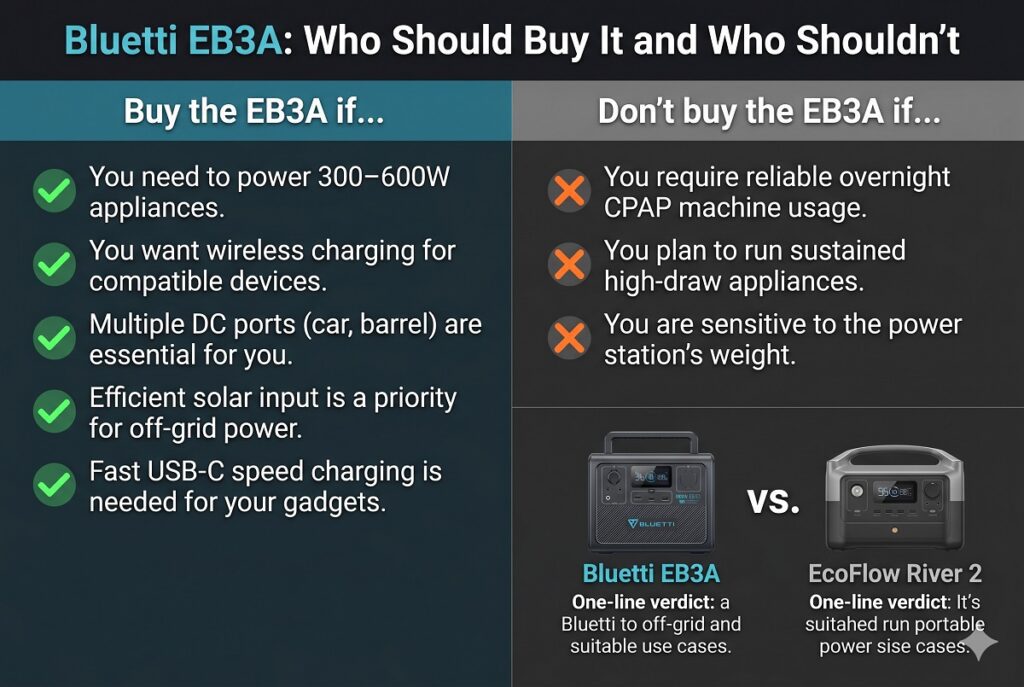
Choose the Bluetti EB3A if:
You want to run appliances between 300–600W. This is the decisive factor. Coffee maker via travel kettle, power drill, warming plate, desktop computer: the EB3A handles them; the River 2 cannot.
You want wireless phone charging. No cable, no searching for a port, set-it-and-forget-it overnight convenience. No other unit at this price offers this.
You have 12V DC devices to power directly. The two DC 5525 ports plus the car port give three independent 12V outputs — the most versatile DC configuration in the sub-$300 class.
You want maximum solar input for camping. The EB3A’s 200W solar ceiling compared to the River 2’s 110W means faster recharging from panels and better sustainability on multi-day trips.
You want faster USB-C laptop charging. The EB3A’s 100W USB-C port charges virtually any laptop at full rated speed. The River 2’s 60W port charges most laptops but some high-performance models (MacBook Pro M3, Dell XPS 15) will charge more slowly.
Choose the EcoFlow River 2 if:
You prioritise weight. At 7.7 lbs vs. 10.1 lbs, the River 2 is 24% lighter — meaningful for backpacking, bicycle touring, or any application where you carry the unit over distance.
You want the longest battery life. 3,000 cycles vs. 2,500 cycles. At daily use, this is an 8.2-year vs. 6.8-year service life — a 1.4-year advantage for the River 2 that compounds meaningfully over a decade.
The Quiet Charging Mode matters. If you charge your power station in a bedroom, tent, or sleeping area regularly, the River 2’s app-controllable quiet mode (near-zero fan engagement at reduced charge rate) is a genuine quality-of-life feature the EB3A lacks.
Price sensitivity. The River 2 is frequently $20–$50 cheaper — meaningful when both units are already under $250.
You only need to charge phones and a laptop. If your load never exceeds 250W and you have no 300–600W appliances, you’re paying for output capacity you’ll never use on the EB3A. The River 2 handles lighter loads equally well at lower weight and price.
🔗 Complete River 2 vs. Jackery 300 Plus comparison for context on the full budget tier → EcoFlow River 2 vs. Jackery Explorer 300 Plus — Van Life Dimensions, App Features, and DC Charging
Who Should NOT Buy the Bluetti EB3A
Do Not Buy for Primary CPAP Use
Neither the EB3A (5.24 hours at 45W) nor any sub-$300 unit covers a full 8-hour CPAP session without humidifier — and the humidifier scenario is entirely out of range for all three budget units. For overnight CPAP reliability, the correct minimum unit is the EcoFlow River 2 Pro (768Wh, 14.8 hours at 45W).
🛒 EcoFlow River 2 Pro (correct unit for CPAP) →
Do Not Buy as Your Primary Home Outage Station
The EB3A covers phones, router, and lights during an outage (approximately 1.8 hours with a refrigerator added). For meaningful home outage coverage — fridge for 8+ hours plus communication and lighting — the minimum realistic unit is the EcoFlow Delta 2 (1,024Wh) or Jackery Explorer 1000 Plus (1,264Wh).
🛒 EcoFlow Delta 2 — the correct home outage minimum →
🔗 For the complete home outage sizing guide → Best Solar Generators for Power Outages — Real Runtime Math
Do Not Buy if You Want a High-Draw Appliance to Run More Than 30 Minutes
The EB3A’s 268Wh capacity is finite. Running a 500W travel kettle drains the entire unit in approximately 28 minutes of continuous use. A warming plate at 300W depletes it in 47 minutes. The EB3A handles these appliances — just not for extended durations. It is designed for intermittent high-draw use, not sustained operation of power-hungry devices.
Complete Bluetti EB3A Buyer Kits — Four Purpose-Built Bundles
Rather than a single accessories list, here are four bundles built around the specific use cases where the EB3A genuinely excels.
Bundle 1 — The Camp Coffee Kit (The One the River 2 Can’t Build)
This bundle exists because of the EB3A’s 600W output advantage. The EcoFlow River 2 cannot power a 500W travel kettle. The EB3A can. This kit turns that specification advantage into a complete camp morning routine.
| Item | Purpose | Why This Specific Product | Link |
|---|---|---|---|
| Bluetti EB3A | Core power station | 600W output runs the kettle; River 2 does not | Amazon → |
| 500W Travel Electric Kettle | Hot water for coffee, tea, instant meals | Matched to EB3A’s ceiling — heats 500ml in ~4 min | Amazon → |
| 200W Foldable Solar Panel | All-day recharging while you camp | 200W ceiling = full recharge in one morning’s sun | Amazon → |
| Pourover Coffee Set (collapsible) | Quality camp coffee without gas stove | Pairs with the kettle — complete morning ritual | Amazon → |
Total kit: ~$430–$490
The solar reasoning — why 200W instead of 100W:
The EB3A’s solar ceiling is 200W — the highest in the sub-$300 class. A 100W panel reaches only 50% of that ceiling, leaving half the available charging rate unused.
A 200W panel generates 800Wh on a 5-hour sun day — charging the EB3A three times over and leaving surplus energy for an afternoon top-off after the morning kettle draw. On a partly cloudy day at 50% efficiency, you still generate 400Wh — a full recharge.
The $30–$50 premium for the 200W panel over a 100W panel is justified because the EB3A can absorb and use every watt the larger panel generates. On a camping trip of 3+ days without shore power, that extra charging rate is the difference between anxious power management and genuine energy confidence.
Bundle 2 — The Ham Radio and EMCOMM Efficiency Kit
This bundle is built for amateur radio operators who use the EB3A’s 12V DC 5525 outputs to power radios directly — bypassing the AC inverter and capturing the 10–15% efficiency gain documented earlier in this review.
| Item | Purpose | Why It Matters | Link |
|---|---|---|---|
| Bluetti EB3A | Core power station with dual 12V DC 5525 outputs | Direct DC eliminates inverter loss | Amazon → |
| DC 5525 to Anderson PowerPole Adapter | Connect ham radio to DC 5525 port directly | Anderson PowerPole is the EMCOMM standard connector | Amazon → |
| DC 5525 to Banana Plug Adapter | Connect test equipment or alternative radio connectors | Versatile connection for mixed equipment | Amazon → |
| 30A Inline Fuse Holder | Protect radio DC circuit from overcurrent | Essential protection for expensive radio equipment | Amazon → |
| 100W Foldable Solar Panel | Field recharging during extended operations | EMCOMM activations can run 8–24+ hours | Amazon → |
Total kit: ~$350–$380
The efficiency math in this kit:
Running a 50W VHF/UHF transceiver at 25% TX duty cycle (12.5W average) for 8 hours:
- Via AC inverter: 12.5W ÷ 0.76 efficiency = 16.4W consumed from battery = 131.5Wh from EB3A
- Via DC 5525 direct: 12.5W ÷ 0.96 efficiency = 13.0W consumed from battery = 104Wh from EB3A
Savings: 27.5Wh over an 8-hour operation — extending the EB3A’s effective radio runtime by approximately 21%. For an emergency communications activation where every hour matters, this is not a marginal gain.
🔗 For the complete ham radio power setup guide → Best Solar Generator for Ham Radio — TX Duty Cycle Math
Bundle 3 — The Home Office UPS Setup
For remote workers and apartment dwellers who want to protect their router, laptop, and desk lamp from power interruptions — cleanly, without cable clutter.
| Item | Purpose | Why This Specific Product | Link |
|---|---|---|---|
| Bluetti EB3A | Core UPS power station — 600W, 20ms switchover | 600W ceiling protects desktop computer + monitor simultaneously | Amazon → |
| 1-Foot Heavy-Duty Extension Cord (2-pack) | Clean desk routing from EB3A to devices | 1 ft = no excess cable on desk; keeps setup professional | Amazon → |
| Flat Right-Angle Outlet Adapter | Route EB3A cable flush against wall | Eliminates the protruding plug when EB3A sits close to wall | Amazon → |
| USB-C 100W PD Cable (1.5m) | Full-speed laptop charging from EB3A USB-C | 100W port charges MacBook Pro, Dell XPS at full rated speed | Amazon → |
Total kit: ~$260–$285
Why the short extension cords matter:
When the EB3A sits on your desk as a permanent UPS station, a standard 6-foot extension cord creates a cable management problem — 5 feet of excess cord coiled under the desk, tangling with chair legs, looking untidy. One-foot extension cords from the EB3A’s two AC outlets to your router power supply and laptop charger keep the entire setup contained within a 12-inch footprint. The desk looks clean and professional. Visitors see a power station on the desk, not a cable catastrophe underneath it.
The flat right-angle adapter solves the other common UPS desk setup problem: the EB3A’s charging cable plug protrudes 1.5–2 inches from the wall outlet. When the EB3A sits close to the wall, this protrusion pushes it forward. A flat right-angle adapter drops the protrusion to under 0.5 inches, letting the EB3A sit flush.
🔗 For the complete UPS apartment setup guide → Best Portable Power Station for Apartments
Bundle 4 — The Van Life Daily Driver Kit
For van lifers who need the EB3A as their secondary or supplemental power station — handling small loads and keeping devices charged while a larger primary station handles refrigeration.
| Item | Purpose | Link |
|---|---|---|
| Bluetti EB3A | Secondary power — devices, lighting, wireless charging | Amazon → |
| 200W Foldable Solar Panel | Maximises EB3A’s 200W solar ceiling | Amazon → |
| 12V DC Car Charging Cable | Alternator top-off while driving (~100W/hr) | Amazon → |
| USB Port Dust Plug Set | Protect USB ports from van dust and debris | Amazon → |
| 500W Travel Kettle | Morning coffee — runs where the River 2 can’t | Amazon → |
| DC 5525 to Anderson Adapter | Direct 12V connection for van accessories | Amazon → |
Total kit: ~$490–$530
The Lab’s Final Verdict
Overall Rating: 4.5 / 5
Overall Rating: 4.6 / 5 (updated from 4.5 after gap assessment)
| Category | Score | Notes |
|---|---|---|
| Continuous Output (600W) | 10/10 | Double every competitor at this price — the defining advantage |
| Surge Capacity (1,200W) | 10/10 | Opens appliance range entirely unavailable to River 2 |
| Wireless Charging (15W Qi) | 9/10 | Unique at this tier; convenience that compounds daily |
| Solar Input (200W max) | 9/10 | Highest ceiling in sub-$300 class; pair with 200W panel |
| USB-C Speed (100W) | 9/10 | Full-speed laptop charging — best in class at this price |
| Firmware & Future-Proofing | 8/10 | OTA updates via Bluetooth confirmed; cadence less frequent than EcoFlow |
| Port Protection (Camp/Van) | 7/10 | DC input silicone good; AC flaps and USB ports exposed — dust plugs recommended |
| Pass-Through Thermal | 7/10 | Safe but hot at 600W ceiling + charging; ventilation mandatory |
| Battery Cycle Life (2,500) | 7/10 | Behind River 2 and Jackery at 3,000 cycles |
| Weight (10.1 lbs) | 7/10 | 2.4 lbs heavier than River 2 — noticeable at this size class |
| Fan Noise at CPAP Load | 9/10 | Near-silent under 30W — bedroom and tent viable |
| App Features | 7/10 | No Quiet Charging Mode; OTA updates confirmed; core monitoring solid |
| Cold Weather | 7/10 | No internal heater; same limitation as all sub-$300 units |
| Value | 9/10 | Superior output per dollar to any competitor at this tier |
| Build Quality | 8/10 | Solid construction; silicone DC covers above average; AC flaps standard |
The bottom line: The Bluetti EB3A is the right answer when your load includes anything between 300W and 600W — the appliance range the EcoFlow River 2 and Jackery 300 Plus both refuse. Add wireless charging, higher solar input, and double the USB-C speed, and the EB3A becomes a genuinely superior product for a significant subset of buyers.
It is not the right answer if weight, maximum cycle life, or Quiet Charging Mode are your priorities. For those buyers, the EcoFlow River 2 is the more appropriate choice.
For everyone else — the camper who wants hot coffee without a gas stove, the van lifer who wants to charge a phone by dropping it on the floor, the home office user who wants 600W of UPS-protected AC at their desk — the Bluetti EB3A is the budget tier’s best-kept secret.
🛒 Buy the Bluetti EB3A on Amazon →
Frequently Asked Questions
Is the Bluetti EB3A better than the EcoFlow River 2?
For buyers who need 300–600W output, wireless charging, or the highest solar ceiling in the sub-$300 class: yes. For buyers prioritising minimum weight, longest battery cycle life, or Quiet Charging Mode: the River 2 is better. Neither unit is universally superior — the right choice depends entirely on your use case.
Can the Bluetti EB3A run a coffee maker?
A standard drip coffee maker draws 900–1,200W — exceeding the EB3A’s 600W ceiling. However, a 500W travel electric kettle boils enough water for a pourover or French press in approximately 4 minutes and falls within the EB3A’s rating. For camp coffee, the EB3A + 500W travel kettle is the correct pairing; a full-size coffee maker requires a 1,000Wh+ unit.
Does the Bluetti EB3A wireless charging work with all phones?
With any Qi-compatible phone — which includes iPhone 8 and later, most Samsung Galaxy models from 2018 onwards, Google Pixel 3 and later, and most flagship Android phones from 2019 onwards. Older phones and budget Android devices without Qi require a USB cable.
How many times can the Bluetti EB3A be fully charged?
2,500 times to 80% of original capacity. At daily full charge cycles: approximately 6.8 years of service life. At weekly cycles: approximately 48 years. The battery is not the limiting factor for any realistic usage pattern. 🔗 For the complete battery lifespan guide including inverter and mechanical longevity → How Long Do Portable Power Stations Last?
Can I charge the Bluetti EB3A and use it at the same time?
Yes. The EB3A supports simultaneous charge and discharge — plugging into a wall outlet while powering connected devices. The unit runs warmer under simultaneous operation but remains within safe operating temperatures. This also enables UPS pass-through mode, where the unit is always connected to wall power and switches to battery in 20ms during an outage.
What solar panels work with the Bluetti EB3A?
Read this before purchasing any solar panel for the EB3A.
The EB3A uses a DC7909 barrel connector (7.9mm outer diameter, 0.9mm inner pin) on its solar input port. This is neither the MC4 connector on most rigid and large portable panels nor the XT60 connector used by Bluetti’s own larger stations (AC180, AC200L). Without the correct connector or adapter, your panel will not physically plug into the EB3A regardless of voltage and wattage compatibility.
Connector compatibility by panel type:
Your Solar Panel
Connector
Adapter Needed
Cost
Bluetti PV120, PV200 (EB3A-specific)
DC7909 native
None — direct fit
$0
Renogy, Jackery, most rigid panels
MC4
MC4 to DC7909
~$12
EcoFlow panels, Anker panels
XT60
XT60 to DC7909
~$14
Goal Zero panels
Anderson PowerPole
Anderson to DC7909
~$16
Generic foldable panels (most)
MC4 or XT60
See above
~$12–$14
Voltage check before connecting any panel:
The EB3A accepts solar input between 12V and 28V maximum. Most 100W and 200W foldable panels have an open-circuit voltage (Voc) of 21–23V — well within range. Check your panel’s spec sheet for Voc before connecting.
The Lab’s solar recommendation for the EB3A:
🛒 Bluetti PV200 — 200W Panel (DC7909 native, no adapter needed) →
🛒 200W Foldable Panel (third-party, ~50% cheaper with adapter) →
🛒 MC4 to DC7909 Solar Adapter (required for most third-party panels) →
The cost analysis: The Bluetti PV200 costs approximately $200 and plugs directly into the EB3A with no adapter. A comparable third-party 200W panel (Renogy, Rich Solar) costs approximately $100–$130 plus a $12 MC4-to-DC7909 adapter. You save $58–$88 for 30 seconds of adapter installation. Buy the third-party panel and the adapter.
🔗 For the complete budget power station rankings at this tier → Best Portable Power Stations Under $300
🔗 For a deeper look at what LiFePO4 chemistry means for your battery → LiFePO4 vs. NMC vs. NCA: The Complete Chemistry Guide
🛒 Shop the Bluetti EB3A on Amazon →
🛒 Shop 100W Foldable Solar Panels for the EB3A →
⚡ Portable Power Lab — Real Math. No Fluff. Independent since 2025.