Affiliate Disclosure: As an Amazon Associate, Portable Power Lab earns from qualifying purchases at no extra cost to you.
Last Updated: April 2026 | Reading time: ~10 minutes
This guide was written for a specific person.
Maybe it’s your parent. Maybe it’s your grandparent. Maybe it’s you.
The person is over 65, lives alone or with a partner, and has at least one medical device that depends on electricity. They experienced a power outage that lasted longer than expected — or they’re simply preparing so the next one doesn’t become an emergency.
They don’t want a technical product. They don’t want to read a user manual. They want something they can plug in, turn on, and trust — without asking for help every time.
That is exactly what this guide delivers: the best portable power station for seniors, ranked not by raw specs but by ease of use, medical device compatibility, weight you can actually lift, and the safety assurances that make families sleep easier.
Our appliance wattage chart covers every medical device
🎯 Power Station Brand Finder
Answer 5 questions. Get a specific brand and model recommendation — based on the same criteria our analysts use.
Why Standard Power Station Reviews Fail Seniors
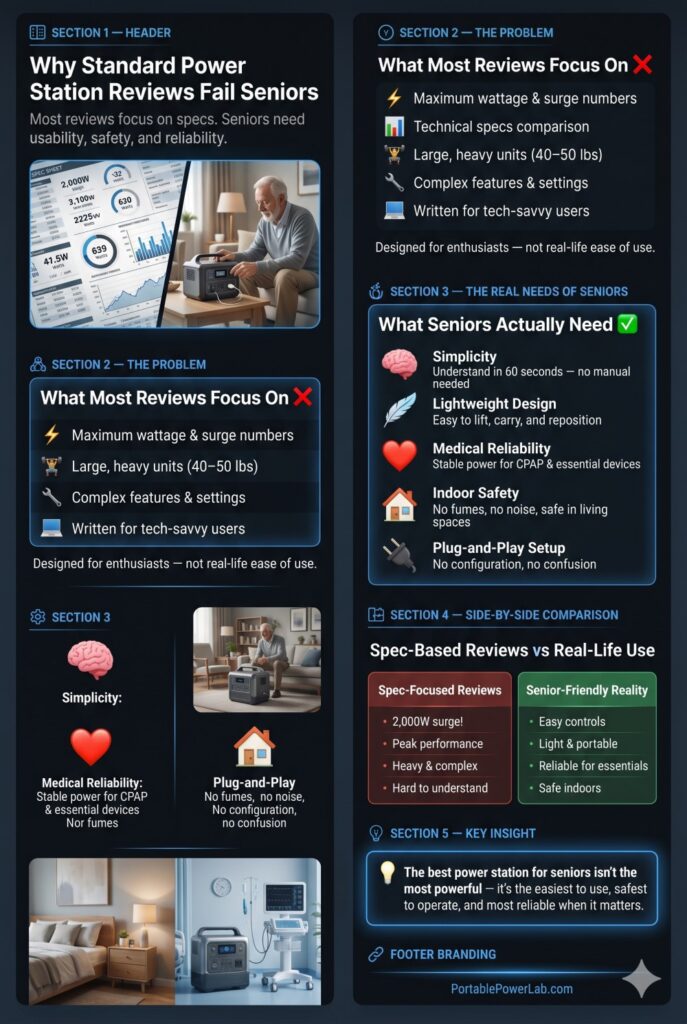
Most portable power station guides are written by and for technology enthusiasts. They compare specs in a vacuum. They assume the reader wants maximum surge wattage and can handle a 47-pound unit.
The senior buyer has different priorities:
- Simplicity — The interface must be understood in under 60 seconds, without reading a manual
- Weight — Must be liftable and moveable by one person without strain
- Medical reliability — Must power CPAP, oxygen concentrators, and medical monitoring equipment without interruption
- Indoor safety — Zero emissions, zero fumes, safe in a bedroom or living room
- Setup ease — Plug in and go; no configuration required
None of these criteria appear in a standard spec comparison. This guide makes them the primary filter.
Medical Device Power Requirements: Know This Before Buying
The stakes for seniors are higher than for the average buyer. Power interruption isn’t inconvenient — it can be a medical emergency. Here are the exact power requirements for the most common senior medical devices:
| Medical Device | Running Watts | Startup Surge | Hours per Night | Wh Needed/Night |
|---|---|---|---|---|
| CPAP — no humidifier | 30–60W | None | 7–8 hours | 210–480Wh |
| CPAP — heated humidifier | 90–130W | None | 7–8 hours | 630–1,040Wh |
| BiPAP machine | 40–70W | None | 7–8 hours | 280–560Wh |
| Oxygen concentrator (1–5 LPM) | 150–300W | 200–400W | 8–24 hours | 1,200–7,200Wh |
| Home nebulizer | 75–150W | None | 15–20 min/session | 19–50Wh/session |
| Electric wheelchair charger | 150–450W | None | 4–8 hrs charging | 600–3,600Wh |
| Stair lift (single trip) | 300–600W | 600–1,200W | Seconds per trip | ~2–5Wh/trip |
| Hospital bed (adjustable) | 300–500W | 600–1,000W | Seconds per movement | ~1–3Wh/movement |
| Blood pressure monitor | 5–25W | None | 1–3 min | Negligible |
| Insulin refrigerator (compact) | 30–60W | 60–120W | 24 hours | 720–1,440Wh |
Critical note on oxygen concentrators: These run continuously and draw 150–300W non-stop. They also have a startup surge that must be handled. For a patient dependent on supplemental oxygen, power interruption requires immediate attention. If you are buying a power station specifically for an oxygen concentrator, consult your medical equipment provider first and choose the largest capacity unit you can afford.
The complete CPAP camping power guide
Portable power stations are completely safe indoors — here’s why
The 5 Criteria We Used to Rank Senior-Friendly Power Stations
1. Display Clarity (1–5): Is the battery percentage visible at a glance? Large numbers? No confusing symbols?
2. Single-Button Operation (Yes/No): Can the unit be turned on and off with one clearly labeled button?
3. Weight (lbs): Is it liftable by an average 65–75 year old without assistance? (Our threshold: under 20 lbs for solo carry; 20–35 lbs for assisted carry)
4. Medical Device Runtime (hours): Hours of CPAP (no humidifier) operation on one charge
5. Safety Certifications: UL listed, LiFePO4 chemistry, no CO risk
🏆 The 5 Best Portable Power Stations for Seniors in 2026
#1 — Jackery Explorer 300 Plus: Simplest and Lightest
→ Check Current Price on Amazon
The Jackery Explorer 300 Plus earns the top spot for seniors with the combination of the simplest interface in the industry, the lightest body of any LiFePO4 unit, and enough capacity to run a CPAP through an entire night.
Why it’s perfect for seniors:
| Criteria | Score |
|---|---|
| Display Clarity | ⭐⭐⭐⭐⭐ — Large % readout, no confusing icons |
| Single-Button Operation | ✅ Yes — one AC button, one DC button |
| Weight | 7.5 lbs — lighter than a bag of groceries |
| CPAP Runtime (no humidifier, 45W) | ~5.6 hours — full night coverage |
| Indoor Safety | ✅ LiFePO4, zero emissions, UL certified |
The Jackery interface advantage: Jackery’s design philosophy prioritizes consumer simplicity above all else. The Explorer 300 Plus has a large, bright LCD showing battery percentage as a clear number. Two buttons: one for AC outlets, one for DC/USB. That’s the entire interface. A first-time user can operate it correctly in under 30 seconds without reading the manual.
What seniors typically use it for:
- Full-night CPAP operation: ✅ Yes (5.6 hours without humidifier)
- LED lighting during outage: ✅ Yes (100W of lights for 2.5 hours)
- Phone, tablet, radio charging: ✅ Yes (dozens of charges)
- Refrigerator: ❌ Not recommended (too short runtime)
Family setup tip: Have a family member fully charge this unit once a month and store it in a readily accessible location — ideally the bedroom. No configuration needed. In an outage, the senior plugs their CPAP into it, presses the AC button, and goes to sleep exactly as normal.
🛒 Jackery Explorer 300 Plus on Amazon →

#2 — EcoFlow River 2 Pro: Best for CPAP with Humidifier
→ Check Current Price on Amazon
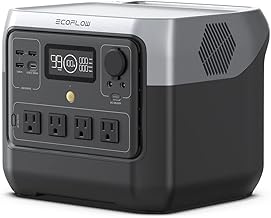
For CPAP users who need the heated humidifier — which draws 90–130W — the EcoFlow River 2 Pro’s 768Wh gives a full night with margin to spare.
| Criteria | Score |
|---|---|
| Display Clarity | ⭐⭐⭐⭐⭐ — Large color display, clear percentage |
| Single-Button Operation | ✅ Yes — clearly labeled buttons |
| Weight | 17.2 lbs — light enough for most seniors to carry |
| CPAP + Humidifier Runtime (120W) | ~5.6 hours — full night |
| CPAP without Humidifier Runtime | ~14.9 hours — nearly two nights |
The runtime math: (768Wh × 0.87) ÷ 120W = 5.6 hours of CPAP with heated humidifier. That covers an 8-hour sleep using the therapy mode of most modern CPAPs (which reduces pressure during exhalation, lowering average power use below the 120W rating).
🛒 EcoFlow River 2 Pro on Amazon →
#3 — Jackery Explorer 1000 Plus: Best for Extended Outages + Refrigerator
→ Check Current Price on Amazon
For seniors who need to protect not just their medical device but also their food, medications requiring refrigeration, and lighting — the Jackery Explorer 1000 Plus provides meaningful whole-home backup in one unit.
| Criteria | Score |
|---|---|
| Display Clarity | ⭐⭐⭐⭐⭐ — Industry-best display |
| Single-Button Operation | ✅ Yes |
| Weight | 32.4 lbs — Requires help moving; fits permanently in kitchen or hall closet |
| CPAP Runtime (45W) | ~24.7 hours — two nights |
| Refrigerator Runtime | ~13.9 hours (fridge averaging 80W) |
| Medical Device Reliability | ✅ LiFePO4, 4,000 cycles |
For seniors with Type 1 diabetes: Insulin requiring refrigeration is a life-safety concern during outages. The Jackery 1000 Plus can run a standard refrigerator for 13+ hours — protecting both insulin and food simultaneously.
Family setup recommendation: Place this unit permanently in the kitchen, plugged into the wall at 80% charge (use the app’s charge limit). In an outage, the senior simply presses the AC button. The refrigerator, a lamp, and a phone charger continue running. No other action required.
🛒 Jackery Explorer 1000 Plus on Amazon →
#4 — Bluetti AC180: Best Value for Longer Medical Backup
→ Check Current Price on Amazon
The Bluetti AC180 offers 1,152Wh at a price often $100–$200 below comparable Jackery and EcoFlow units — without compromising the features seniors need most.
| Criteria | Score |
|---|---|
| Display Clarity | ⭐⭐⭐⭐ — Clear display, slightly more complex UI |
| Single-Button Operation | ✅ Yes (slightly more buttons than Jackery) |
| Weight | 35.2 lbs — needs family member to position |
| CPAP Runtime (45W) | ~22.2 hours — two full nights |
| CPAP + Humidifier (120W) | ~8.3 hours — full night with margin |
| 5-Year Warranty (free) | ✅ — register within 30 days of purchase |
The free 5-year warranty matters: For a senior on a fixed income purchasing a $700 backup device, knowing it’s covered for 5 years without additional cost provides real peace of mind.
#5 — EcoFlow Delta 2: Best for Oxygen Concentrator Users
→ Check Current Price on Amazon
Oxygen concentrators are the most demanding senior medical device. At 150–300W running continuously, they drain batteries faster than any other home medical equipment. The Delta 2’s 1,024Wh is the minimum meaningful capacity for overnight oxygen concentrator backup.
Oxygen concentrator runtime math:
- 5 LPM concentrator at 300W: (1,024Wh × 0.87) ÷ 300W = ~3.0 hours
- 2 LPM concentrator at 150W: (1,024Wh × 0.87) ÷ 150W = ~5.9 hours
For oxygen concentrator users requiring full-night coverage: The EcoFlow Delta Pro (3,600Wh) is the appropriate choice, providing up to 10 hours of 300W oxygen concentrator backup.
🛒 EcoFlow Delta 2 on Amazon →
🛒 EcoFlow Delta Pro — Oxygen Concentrator Coverage →
Senior Power Station Comparison Table
| Power Station | Weight | CPAP Runtime | Simplicity | Fridge? | Price | Best For |
|---|---|---|---|---|---|---|
| Jackery 300 Plus | 7.5 lbs | 5.6 hrs | ⭐⭐⭐⭐⭐ | ❌ | ~$249 | CPAP + devices |
| EcoFlow River 2 Pro | 17.2 lbs | 14.9 hrs | ⭐⭐⭐⭐⭐ | ❌ | ~$399 | CPAP + humidifier |
| Jackery 1000 Plus | 32.4 lbs | 24.7 hrs | ⭐⭐⭐⭐⭐ | ✅ 13 hrs | ~$949 | Full home backup |
| Bluetti AC180 | 35.2 lbs | 22.2 hrs | ⭐⭐⭐⭐ | ✅ 12 hrs | ~$749 | Best value |
| EcoFlow Delta 2 | 27 lbs | 19.8 hrs | ⭐⭐⭐⭐⭐ | ✅ 11 hrs | ~$699 | Oxygen backup |
The Family Member Setup Guide: 5 Steps to Protect Your Parent
- Measure their medical device. Use a Kill-A-Watt meter ($27 on Amazon) to measure the actual wattage of their CPAP or concentrator. It’s almost always lower than the maximum rating.
- Buy the right unit. Use the table above — don’t over-buy (heavy and expensive) or under-buy (won’t last the night).
- Set up the unit permanently. Don’t put it in a closet. Place it at the bedside or in the kitchen, plugged into the wall. Set the charge limit to 80% in the app.
- Label everything clearly. Put a piece of tape on the unit with one sentence: “In a power outage — press this button.” Seniors shouldn’t have to remember anything.
- Test it once a month. Unplug from the wall, plug in the medical device, and confirm it runs for 30 minutes before plugging the station back in. This confirms the device works and keeps the senior comfortable with the process.
What power station is easiest for seniors to use?
The Jackery Explorer 300 Plus — at 7.5 lbs with a two-button interface and a large, clear battery percentage display. A first-time user can operate it correctly in under 60 seconds.
Can a portable power station run an oxygen concentrator?
Yes, but capacity matters enormously. A 5 LPM concentrator at 300W drains a 1,000Wh unit in about 3 hours. For full-night coverage, you need 2,500–3,000Wh minimum — the EcoFlow Delta Pro is the appropriate choice.
Is it safe to have a power station in a senior’s bedroom?
Yes. Battery power stations produce zero emissions, zero noise beyond a quiet fan, and have no fire hazard when bought from a reputable brand with LiFePO4 chemistry. They are no more hazardous than a laptop computer.